 Log in
A live photo wall for your wedding
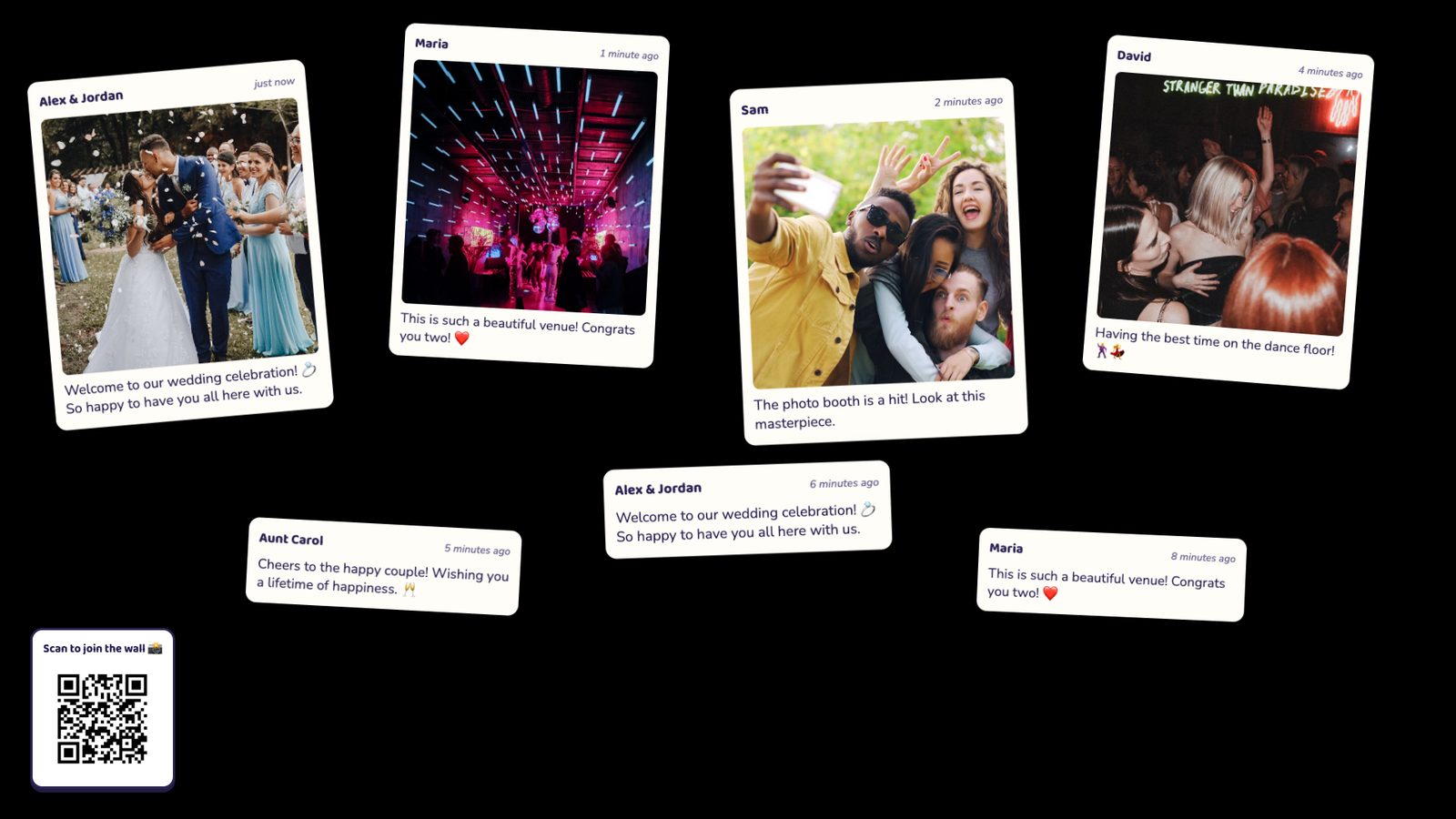
Guests scan the QR code on the screen, add a photo and a message for the couple, and it appears on your big screen in seconds. No app to install, no photographer to coordinate, and every post is saved in a gallery you can download afterwards.
Free to go live. One-time $8 to show every post and remove the branding.
How it works
- 1
Create your event
Sign up, name your event and pick a screen style. It takes about two minutes.
- 2
Put it on a screen
Open your screen link on any TV, projector or laptop. A QR code for guests shows in the corner.
- 3
Guests post live
Guests scan, add a photo and a message, and watch it land on the screen. Everything is saved to your gallery.
Where it shines
During the reception
Put the wall on a TV or projector near the dance floor so guests watch their posts land.
Messages for the couple
A digital guestbook: wishes, advice and inside jokes, with a photo to go with each one.
Every angle of the day
Guests catch moments the photographer misses. They all end up in one gallery.
Ideas to get guests posting
- “Share your favourite photo with the couple”
- “Your best advice for a happy marriage”
- “How do you know the bride or groom?”
- “A selfie from your table”
Tips for the day
- Put the screen where guests gather early, like the welcome drinks, so they spot the QR code.
- Turn on post approvals if you want to review every message before it reaches the screen.
- Pick a calm screen style like Bubble Rise for dinner, then Card Stack once the party starts.
Questions
Do wedding guests need to download an app?+
No. Guests scan a QR code with their phone camera and post from the browser. It works on any smartphone.
Can we approve messages before they appear?+
Yes. Turn on post approvals in your event settings and nothing reaches the screen until you approve it. You can also remove any post at any time.
Can we keep the photos after the wedding?+
Yes. Every approved post stays in your event gallery, which you can share as a link and download as a ZIP file.
What do we need at the venue?+
Any screen with a web browser: a smart TV, a laptop connected to a projector, or a tablet. Open your event’s screen link and go full screen.
More about plans on the pricing page.