 Log in
A live message wall for graduations and school events
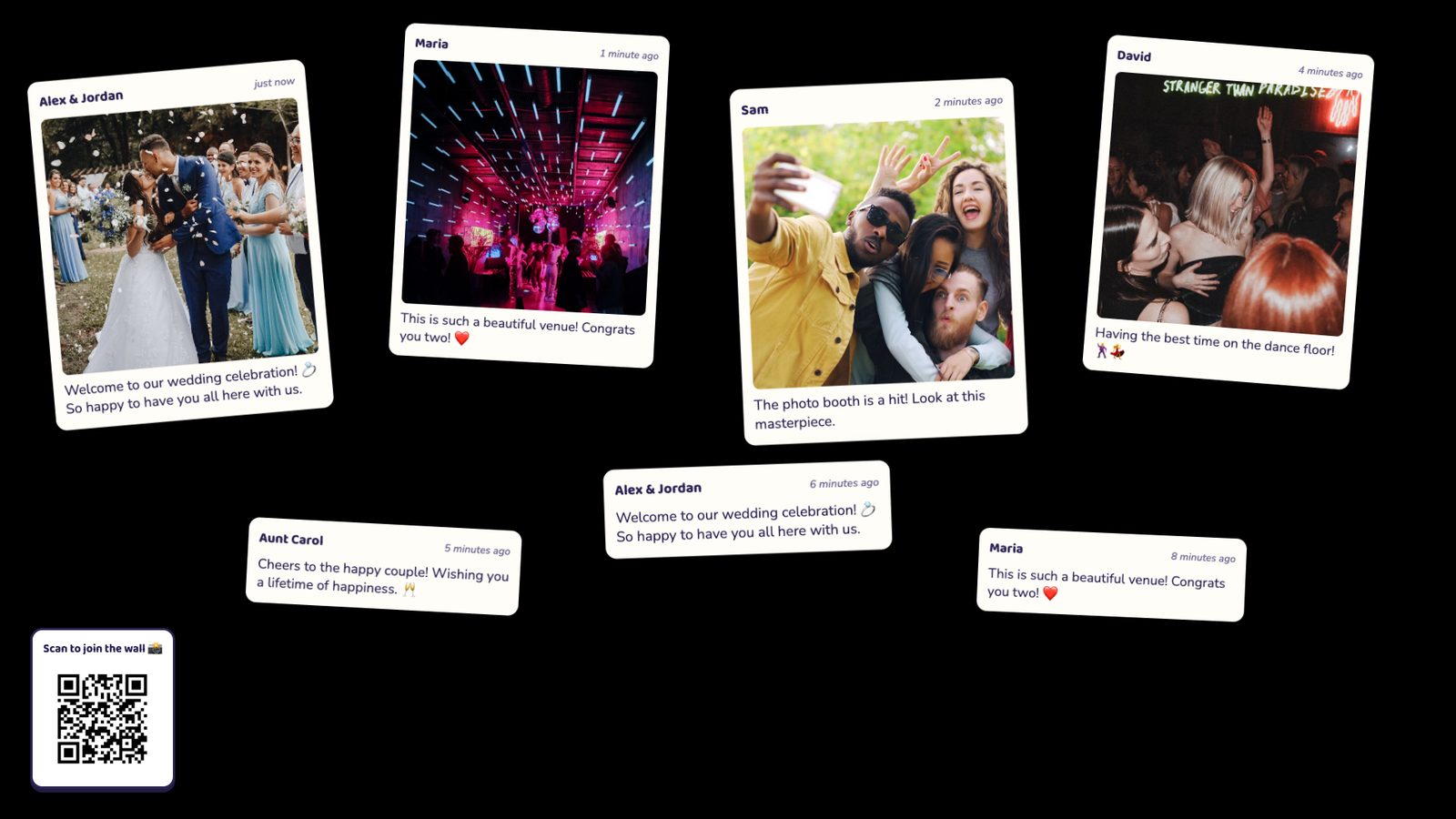
Give every student, parent and teacher a voice on the big screen. They scan a QR code, write a message or share a photo, and it appears on the projector during the ceremony, the farewell or the party afterwards. You decide what shows.
Free to go live. One-time $8 to show every post and remove the branding.
How it works
- 1
Create your event
Sign up, name your event and pick a screen style. It takes about two minutes.
- 2
Put it on a screen
Open your screen link on any TV, projector or laptop. A QR code for guests shows in the corner.
- 3
Guests post live
Guests scan, add a photo and a message, and watch it land on the screen. Everything is saved to your gallery.
Where it shines
Messages for the graduates
Families and teachers post congratulations that the whole hall can see.
Farewells and last-day events
Students leave messages and memories for each other and for their teachers.
Class reunions
Old photos and “where are you now” updates, live on the screen.
Ideas to get guests posting
- “Your message to the class”
- “Your favourite school memory”
- “Thank a teacher”
- “Where will you be in five years?”
Tips for the day
- Turn on post approvals for school events so every post is reviewed before it shows.
- Put the screen on the projector before the ceremony starts so people can scan the QR code as they sit down.
- Share the gallery link with families afterwards so everyone gets a copy.
Questions
Can teachers review posts before they appear?+
Yes. With post approvals turned on, every post waits for approval, and you can remove anything at any time.
Do students need accounts?+
No. Guests just scan the QR code and post with a name. Only the organiser needs an account.
Can we show it on the school projector?+
Yes. Any screen with a web browser works: open the event’s screen link on the computer connected to the projector and go full screen.
What if more than 20 people post?+
Everyone can still post. On the free plan the first 20 guest posts show on the screen and the rest are saved. A one-time $8 unlock shows them all.
More about plans on the pricing page.