 Log in
A live photo wall for birthday parties
Put a screen up at the party and let guests fill it. They scan a QR code, snap a photo, write a birthday message, and watch it land on the TV a moment later. It works for a first birthday, a big 40th, or a surprise party.
Free to go live. One-time $8 to show every post and remove the branding.
How it works
- 1
Create your event
Sign up, name your event and pick a screen style. It takes about two minutes.
- 2
Put it on a screen
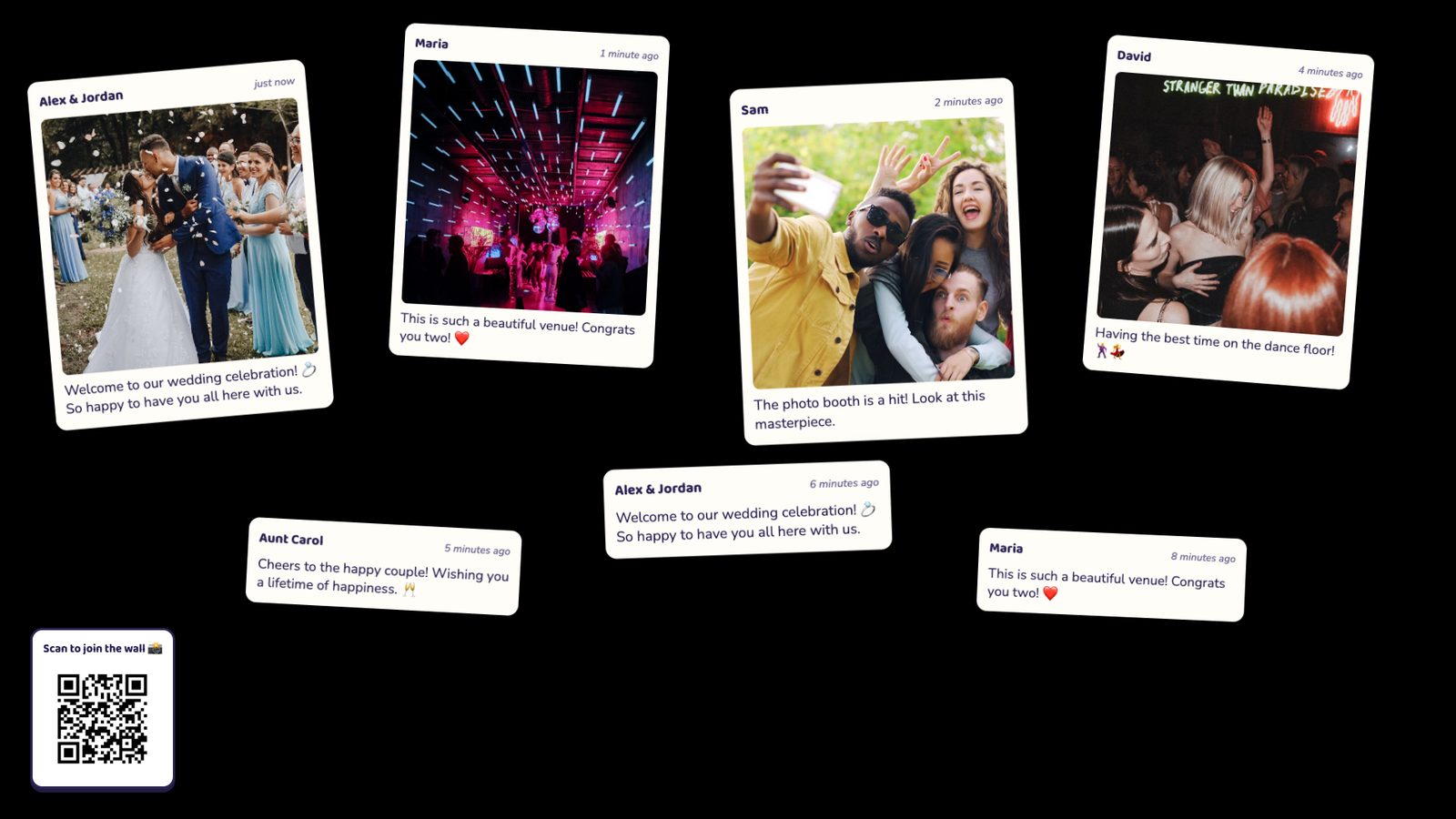
Open your screen link on any TV, projector or laptop. A QR code for guests shows in the corner.
- 3
Guests post live
Guests scan, add a photo and a message, and watch it land on the screen. Everything is saved to your gallery.
Where it shines
Birthday wishes on screen
Every guest’s message appears big enough for the whole room to read.
Friends who can’t make it
Share the link and people far away can post too. Their wishes show up live at the party.
A keepsake gallery
All the photos and messages stay in one gallery to download after the party.
Ideas to get guests posting
- “Your favourite memory with the birthday star”
- “A birthday wish in one sentence”
- “Throwback photo time”
- “Guess their age in another life”
Tips for the day
- Put the screen near the cake or the drinks, where everyone stops.
- For a surprise party, send the guest link in advance so messages are waiting on screen.
- Use Falling mode for a classic polaroid look on a TV.
Questions
How do guests post to the screen?+
They scan the QR code shown on the screen, or open the guest link you share, type a name and a message, and add a photo if they like. It takes about 20 seconds.
Can people who aren’t at the party post?+
Yes. Share the guest link by message or email and anyone with it can post while the event is live.
Is it free for a small party?+
Going live is free and the first 20 guest posts show on the screen. Later posts are saved, and a one-time $8 unlock shows them all and removes the Party Screen branding.
How long does the event stay open?+
Seven days from when you go live, so guests can keep adding photos after the party.
More about plans on the pricing page.